Screenshots in a zoom group
Wrap screenshots in ::zoom blocks with one group, and the reader pages through all of them, marks and notes included, without scrolling back.
At 640px, moon phase and vibes push the filters onto a second row.
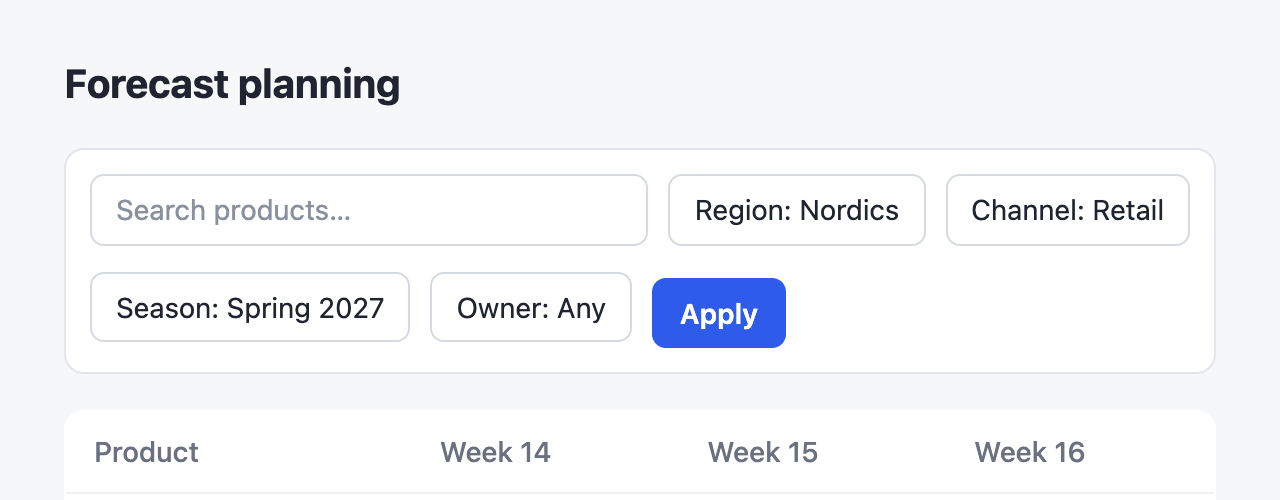 1
1- 1Apply sits 6px lower than the chips.
With moon phase and vibes behind +2 filters, everything fits on one row.
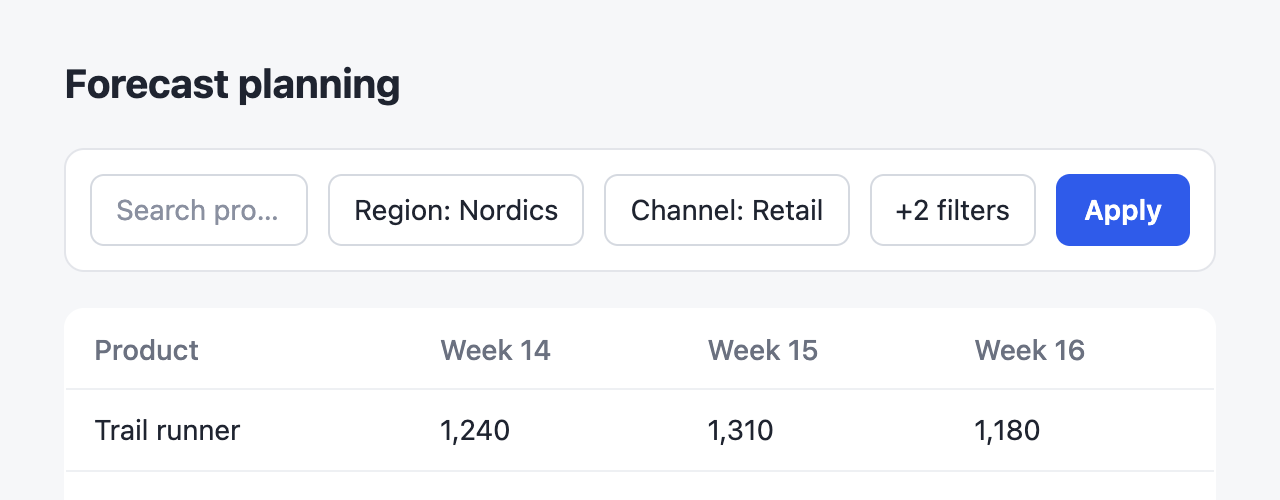 1
1- 1Apply lines up with the chips.
At 640px, moon phase and vibes push the filters onto a second row.

::zoom{group="toolbar" title="Before"}
:::screenshot{src="/before.png" alt="Filter toolbar wrapping onto a second row" viewport="640x250"}
::::annotation{x=22.4 y=50.4 w=13.3 h=20.6 mark="circle" color="red"}
**Apply** sits 6px lower than the chips.
::::
:::
::

With moon phase and vibes behind **+2 filters**, everything fits on one row.

::zoom{group="toolbar" title="After"}
:::screenshot{src="/after.png" alt="Filter toolbar on one row" viewport="640x250"}
::::annotation{x=82.5 y=33.1 w=10.9 h=16 mark="check" color="green"}
**Apply** lines up with the chips.
::::
:::
::Click either screenshot: the zoomed view shows both, with arrows, a strip at the bottom, and the arrow keys to move between them.
When to use it
A screenshot zooms on its own, with its notes beside it. A group is for screenshots that belong together but sit apart, with text between them, such as the steps of a bug report. For two screenshots of the same view side by side, use ::compare instead: it zooms as one gallery already.
How it works
::zoom zooms the whole block, so the zoomed view shows the screenshot with its marks and its numbered notes under it. Its title names the item in the zoomed view's header and in the strip. Items with the same group page through one zoomed view, in the order they appear on the page, and a group can mix screenshots with plain images, tables, or code:
::zoom{group="toolbar" title="The design"}

::